
Part of DLM Auto · 05 Edit, mix & deliver
AutoScript
Say what you need. Get a macro. Mandy turns a plain-language request into a Pro Tools macro you can fire from a Stream Deck, a keyboard or a MIDI controller.
What it does
Plain words in, a macro out.
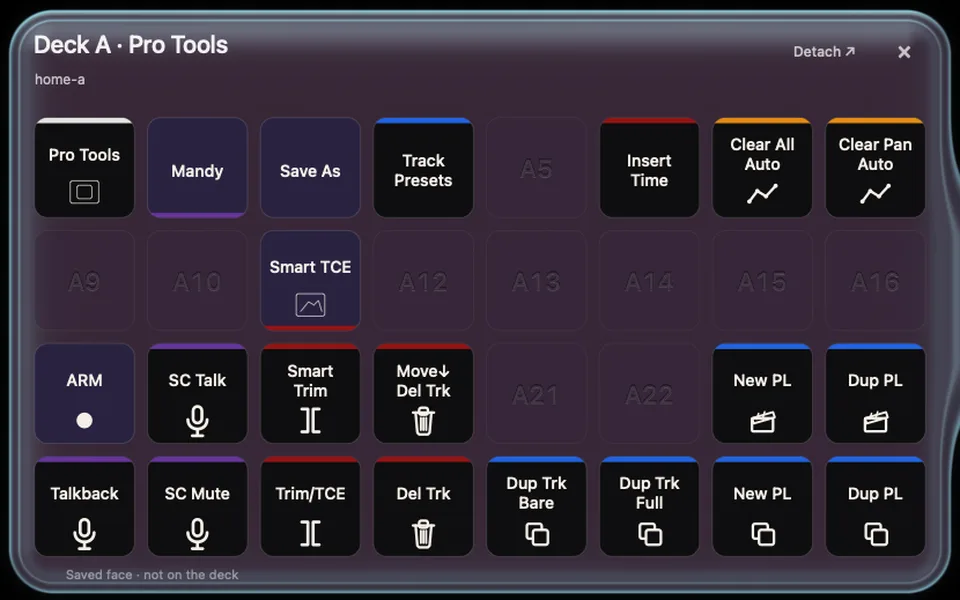
AutoScript turns a request in plain language into a Pro Tools macro. You say what you need; Mandy, the DLM Auto assistant, turns it into the macro.
You fire the macro from the hardware already on your desk: a Stream Deck, a keyboard or a MIDI controller.
AutoScript is part of DLM Auto and is coming soon. The DLM Auto app installs and updates it, Mandy is reached from the app, and one DLM Auto account signs you in.
How you use it
Ask, get, fire.
Ask Mandy
Say what you want Pro Tools to do, in plain words.
Get a macro
Mandy turns the request into a Pro Tools macro.
Fire it
From a Stream Deck, a keyboard or a MIDI controller.
Where it fits
Stage five: edit, mix and deliver.
- 01Job arrivesAutoPrep, with AutoMov
- 02DesignAutoDesign
- 03RecordAutoTake
- 04PremixAutoPremix
- 05Edit, mix & deliverAutoScript · DLM plug-insThis page
AutoScript works at the last stage, where the session is edited, mixed and delivered, alongside the DLM plug-ins. See every stage on How it works.
FAQ
Questions about AutoScript.
Who is Mandy?
Mandy is the DLM Auto assistant, across every tool. You reach her from the DLM Auto app and talk to her in plain language; in AutoScript, she turns what you ask for into a Pro Tools macro.
What can I fire the macros from?
A Stream Deck, a keyboard or a MIDI controller.
Which versions of Pro Tools does it work with?
Pro Tools 2024 or later. The DLM Auto app runs on macOS 13 or later.
Wayfinding